

If you want to make CV ATS friendly, the goal is not to outsmart software. It is to build a CV that parses cleanly, keeps the right order after upload, and still reads naturally for recruiters.
For experienced professionals, this matters more than many people expect. A senior CV often includes promotions, projects, certifications, tools, and mixed work arrangements. When formatting becomes too decorative, ATS software may scramble dates, merge headings, or lose key skills. In Saudi hiring contexts, where many applications move through portals and upload workflows, clean parsing is a practical requirement. For broader context, see ATS used in Saudi companies .
The safest approach is usually simple: one-column structure, standard section names, plain text hierarchy, and consistent formatting throughout.
Use section headings ATS can recognize
ATS systems work best with standard labels. Recruiters may understand creative headings, but software may not classify them correctly.
Use familiar headings such as:
- Contact Information
- Professional Summary
- Experience
- Skills
- Education
- Certifications
- Projects
- Awards
Avoid labels such as:
- My Journey
- What I Bring
- Career Story
- Toolbox
- Credentials Corner
A common failure happens when a candidate uses “Core Strengths” instead of “Skills,” or “My Journey” instead of “Experience.” The content may still exist, but the system may not map it cleanly.
Example: nonstandard headings create confusion
If a CV uses:
- My Journey
- Core Strengths
- Learning Path
A cleaner ATS-safe version would be:
- Experience
- Skills
- Education
Standard wording helps both parsing and fast recruiter scanning.
Follow a section order that supports parsing and fast review
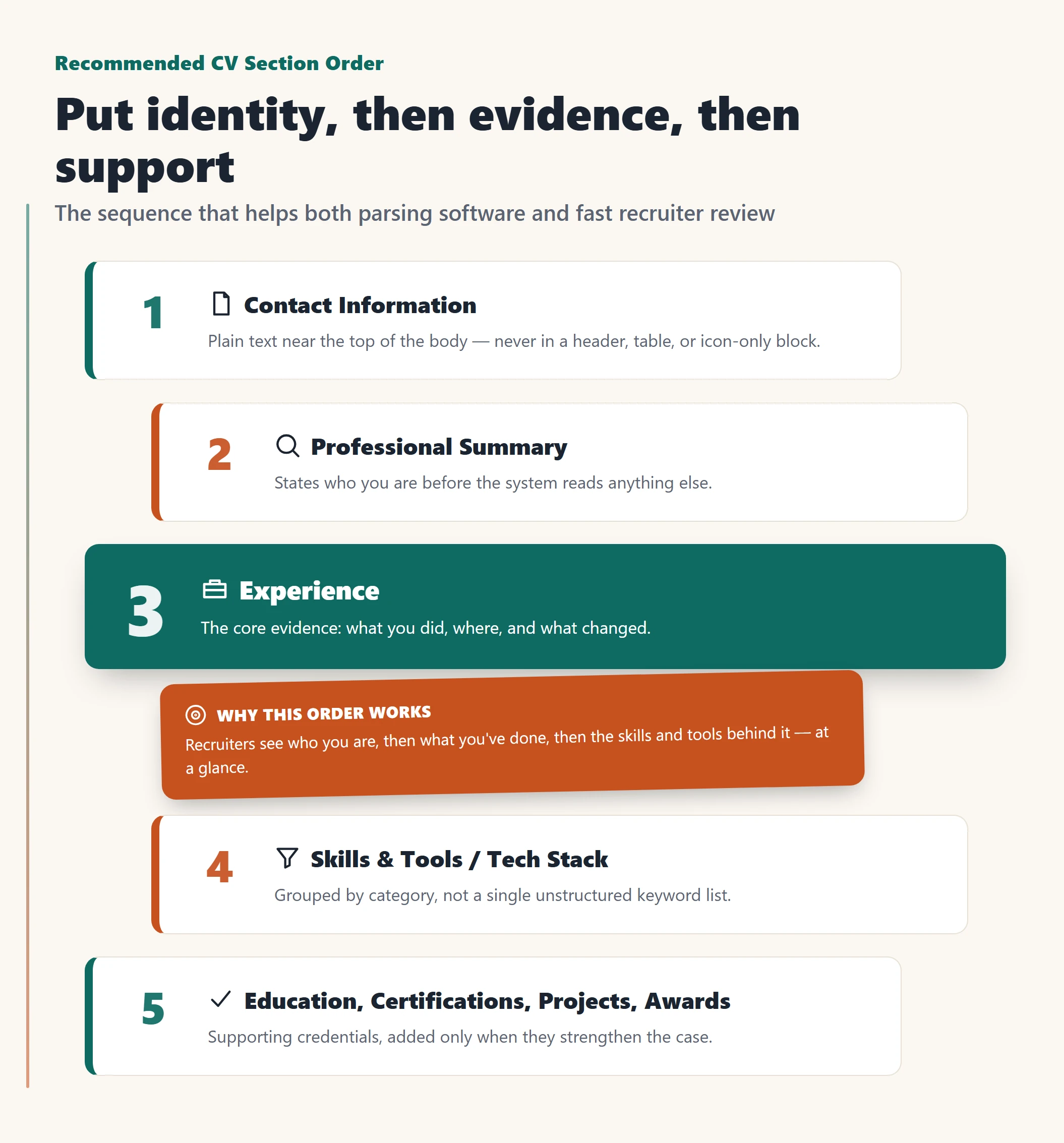
Section order affects both machine reading and human decision-making. The best order usually puts your identity, fit, and evidence first.
For most experienced professionals, this sequence works well:
- Contact Information
- Professional Summary
- Experience
- Skills
- Tools / Tech Stack
- Education
- Certifications
- Projects, if relevant
- Awards, if relevant
This order makes your profile easier to understand at a glance. The recruiter first sees who you are, then what you have done, then the skills and tools you bring.
If your role depends heavily on role-specific terms, place those keywords naturally in your summary, experience, and skills sections. For a practical framework, review ATS keywords for business roles .
Keep contact information simple and easy to extract
Your contact details should sit near the top of the document body, not inside a graphic header, text box, or banner.
A safe format is:
Full Name | City, Country | Phone | Email | LinkedIn
Good practice includes:
- keeping everything on one line or a short block
- using simple separators like vertical bars
- writing the phone number in international format when possible
- using a professional email address
- keeping LinkedIn in plain text
Avoid placing contact details in:
- page headers
- tables
- sidebars
- icon-only designs
Example: header contact details get ignored
A risky version might include a large branded header with icons for phone and email. Some systems do not extract header content properly, so important information may disappear.
A safer version is plain text at the top of the page body:
Ahmed Al____ | Riyadh, Saudi Arabia | +966 XX XXX XXXX | name@email.com | LinkedIn/profile
Use one clear format for dates and locations
Dates should be easy to read and impossible to misinterpret. ATS also performs better when the same pattern is repeated across the entire CV.
Good date formats include:
- Jan 2021 – Mar 2024
- 2021 – 2024
For experienced hires, month and year is often the safest choice because it reduces ambiguity. What matters most is consistency.
Locations should also stay simple:
- Riyadh, Saudi Arabia
- Jeddah, Saudi Arabia
- Remote
Avoid:
- mixed date styles
- decorative timelines
- side-column dates
- map icons or graphic location markers
Example: inconsistent dates confuse parsing
Problem version:
- March 2022 – Present
- 06/2019 – 02/22
- 2017 to May 2019
Better version:
- Mar 2022 – Present
- Jun 2019 – Feb 2022
- Jan 2017 – May 2019
Example: experience tables corrupt date flow
Many experienced candidates place job title, company, and dates in a table to save space. After upload, the ATS may read the table in the wrong order.
Instead of a table, use:
Senior Operations Manager
Company Name, Riyadh, Saudi Arabia
Jan 2021 – Present
- Led…
- Improved…
- Standardized…
If your CV still breaks after upload, test the exported file before applying .
Write bullets that prove value and stay parse-safe
Bullets should do more than list responsibilities. They should show what you did, where you did it, and what changed because of your work.
A simple structure is:
Action → Scope → Result → Evidence
Examples:
- Led regional process redesign across finance operations, improving approval flow and reducing delays in cross-functional requests.
- Managed onboarding for enterprise accounts, strengthening transition quality through standardized workflows.
- Built reporting dashboards for commercial teams, improving visibility into pipeline activity.
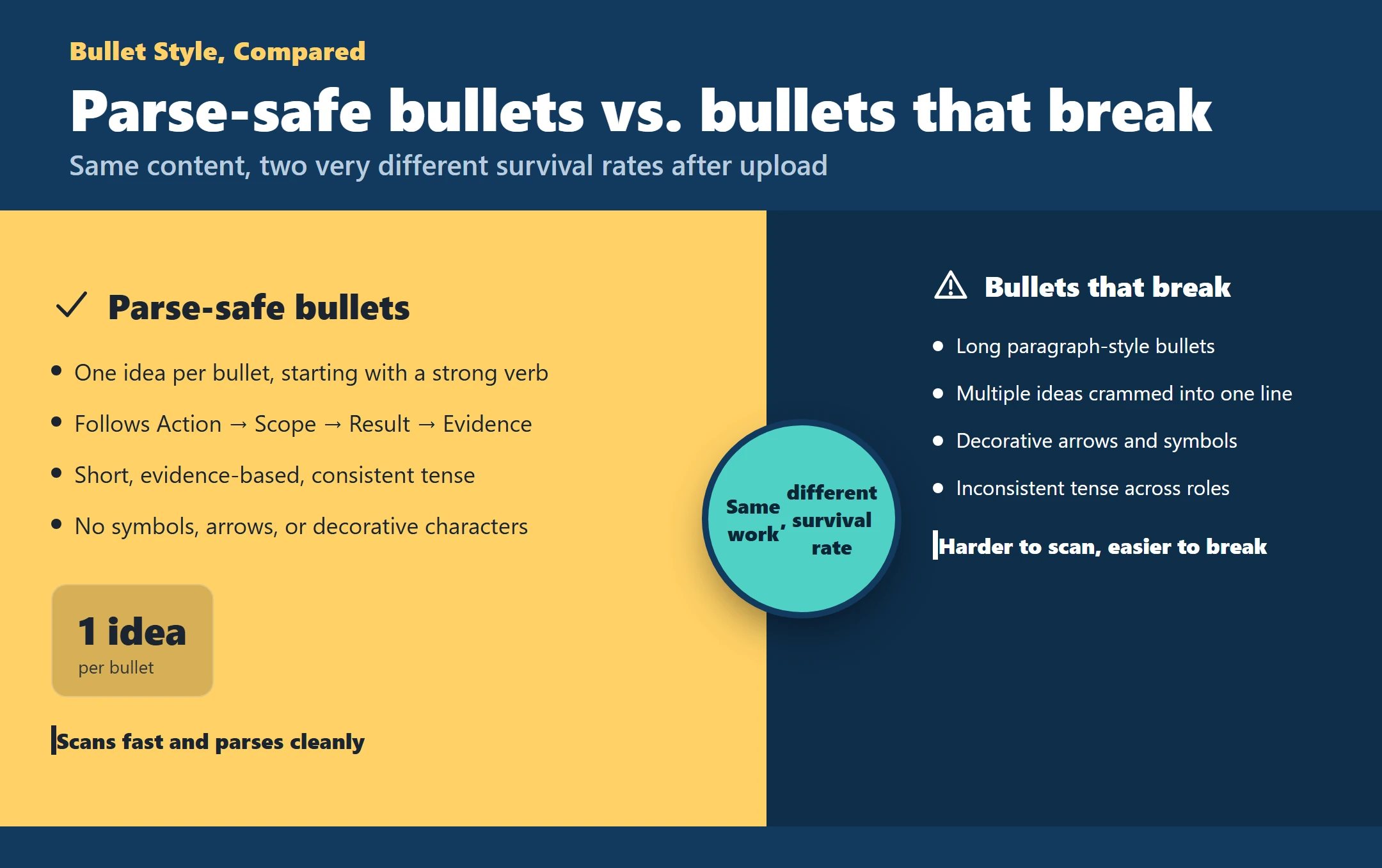
Keep these rules in mind:
- one idea per bullet
- start with a strong verb
- keep bullets short
- avoid symbols, arrows, and decorative characters
- keep tense consistent
Long paragraph-style bullets are harder to scan and easier to break during parsing. Short, evidence-based bullets are safer.
If your experience is strong but your CV structure is weakening your applications, we can help rewrite it into a cleaner, ATS-ready version that protects your positioning and makes it easier to apply confidently .
Build a skills section for scanning, not stuffing
The skills section should help recruiters and ATS identify relevance quickly. It should not be a long, unstructured keyword dump.
A better method is to group skills by category.
Example:
Operational Skills
- Process improvement
- Stakeholder management
- Budget planning
Business Skills
- Forecasting
- Reporting
- Cross-functional coordination
Technical Skills
- ERP systems
- Data analysis
- Dashboard reporting
Avoid:
- 30 to 50 skills on one line
- icons without text
- star ratings or progress bars
- random mixing of tools, methods, and soft skills
Example: icons replace words and skills disappear
If Excel, Power BI, or SAP appear only as icons, the ATS may miss them completely. Replace icon-only layouts with plain text labels. Words survive upload more reliably than graphics.
List tools and tech stack using clear categories
For experienced professionals, tools matter most when they are organized well. Instead of placing every tool and method into one long list, separate them by type.
A simple taxonomy could look like this:
Platforms
- SAP
- Oracle
- Salesforce
Tools
- Excel
- Power BI
- Tableau
Methods / Frameworks
- Agile
- Lean
- Process mapping
You can also add light proficiency cues where useful, such as:
- Advanced
- Working knowledge
- Daily use
Keep those cues realistic and consistent. Avoid invented rating systems like bars, stars, or 9/10 scales.
This same approach supports a clean corporate CV layout by improving hierarchy without adding formatting risk.
Format education and certifications with standard fields
Education and certifications should be easy for both software and recruiters to classify.
For education, include:
- degree
- field of study, if needed
- institution
- location
- graduation year or completion date
Example:
Bachelor of Science in Information Systems
University Name, Riyadh, Saudi Arabia
2018
For certifications, include:
- certification name
- issuing body
- date earned or validity date, if relevant
Example:
Project Management Professional (PMP)
PMI
2023
Avoid:
- logos
- badges
- image-based certificates
- unexplained abbreviations
Example: education block fails to parse cleanly
Risky version:
- degree shown as a badge image
- university logo instead of text
- year placed in a side column
Safer version:
BSc in Mechanical Engineering
University Name
2016
Plain text is easier to classify and less likely to break.
Add a projects section only when it strengthens your case
Not every experienced professional needs a separate projects section. Use one when projects add evidence that your title alone does not show.
A projects section is useful when:
- project work is central to your role
- consulting or freelance work is project-based
- your title is broad but your projects show specific depth
- project outcomes are stronger than routine responsibilities
A clear structure is:
- Project name
- Role
- Date
- Scope
- Result
Example:
ERP Implementation Rollout
Program Lead | 2023
Led cross-functional rollout planning across multiple business units, improving adoption through phased implementation controls.
Keep projects in plain text. Do not use screenshots, icons, or table layouts.
Keep awards and recognition concise and relevant
Awards can support credibility, but only if they are brief and clearly relevant to the role.
Include:
- award name
- issuer
- year
- one short line on why it matters
Example:
Operational Excellence Award, Company Name, 2022
Recognized for leading process improvements across regional support operations.
Avoid:
- long stories
- visual trophy icons
- unrelated personal achievements
- inflated wording without context
A short, relevant awards section is usually stronger than a decorative one.
Label gaps, short tenures, and freelance work clearly
Non-linear career history is not the real problem. Unclear labeling is.
For gaps, short tenures, and freelance work:
- keep the same date style throughout
- use honest labels
- avoid hiding months
- identify contract or freelance work clearly when accurate
Examples:
Independent Consultant
Jan 2023 – Sep 2023
Operations Manager (Contract)
Jun 2022 – Dec 2022
This reduces ambiguity and keeps the timeline easy to follow.
A quick myths-vs-facts check:
- Myth: Removing dates makes concerns disappear.
Fact: Inconsistent dates usually create more concern.
- Myth: Freelance work always looks weaker.
Fact: Clearly labeled freelance work can strengthen your credibility when results are specific.
- Myth: Every gap needs a long explanation in the CV.
Fact: The CV should stay concise and structured.
Show multiple roles at the same company with a nested structure
If you were promoted internally, do not format each role as if it were a separate employer. That can confuse ATS systems and weaken the story of progression.
A safer structure is:
Company Name, Riyadh, Saudi Arabia
Jan 2019 – Present
Senior Operations Manager
Mar 2022 – Present
- Led…
- Improved…
Operations Manager
Jan 2019 – Feb 2022
- Managed…
- Built…
This shows continuity and progression without duplicating company headers.
State remote, hybrid, and flexibility details without clutter
Remote and hybrid details should help clarify your role, not distract from it.
Good options include:
- using “Remote” as the location for a remote role
- adding “Hybrid” only when it helps explain work setup
- mentioning relocation openness briefly if it matters
Examples:
- Riyadh, Saudi Arabia
- Remote
- Jeddah, Saudi Arabia | Open to relocation
Avoid spreading flexibility notes across several sections. Keep them short and recruiter-friendly.
Describe confidential work and NDA-covered projects credibly
If part of your work is confidential, you can still show value without exposing sensitive details.
A useful formula is:
What you did + business context + type of impact
Examples:
- Supported a confidential enterprise transformation program for a regulated business, coordinating reporting workflows and executive updates across multiple workstreams.
- Led analysis for a confidential market-entry initiative, improving decision support through structured research and reporting.
Avoid:
- naming restricted clients
- sharing protected internal figures
- writing only “confidential project” without context
- sounding so vague that the work loses credibility
The goal is enough detail to prove relevance without crossing confidentiality boundaries.
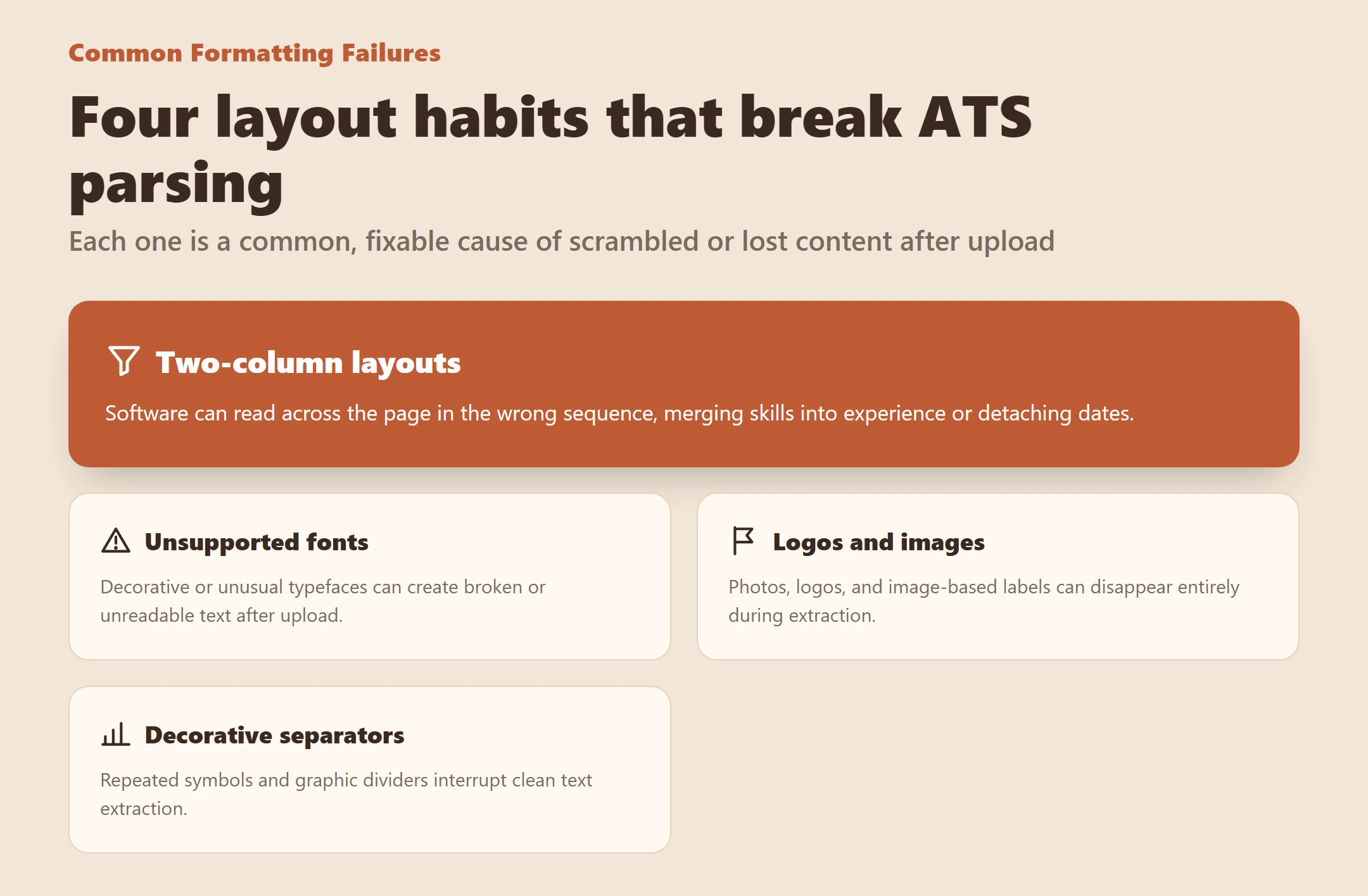
Common formatting failures that break ATS parsing
Some CV problems come from layout choices rather than content quality.
Two-column layouts misorder text
A two-column CV may look modern, but ATS software can read across the page in the wrong sequence. Skills may merge into experience, or dates may attach to the wrong section.
The safest fix is to rebuild into one column with headings on separate lines.
Unsupported fonts create garbled text
If the uploaded CV shows broken or unreadable text, the font or export process may be the issue.
Switch to a safe font, re-export the file, and review the parsed version before applying.
Logos and images cause content loss
If your CV uses logos, profile photos, or image-based labels, parts of the document may disappear during extraction.
Replace images with plain text and keep the hierarchy clean.
Decorative separators break reading flow
Repeated symbols, graphic dividers, and visual flourishes can interrupt extraction.
Use whitespace and standard headings instead. For more detailed formatting do-and-don’t guidance, review CV formatting rules ATS .
Final checklist to make CV ATS friendly
Before submitting your CV, check the following:
- use standard section headings
- keep the document in one column
- place contact details in plain text near the top
- use one date format throughout
- keep locations short and consistent
- write one idea per bullet
- group skills by category
- separate tools, platforms, and methods
- use standard education and certification fields
- label freelance, contract, and internal promotions clearly
- remove icons, logos, images, and tables
- replace decorative design with whitespace and headings
- review the exported file before uploading
A strong ATS-friendly CV is not plain for the sake of being plain. It is structured to survive real hiring systems without losing meaning.
Get expert help to rebuild your CV
Get a professionally rewritten ATS-ready CV, built for experienced professionals who need stronger structure, cleaner positioning, and a document that is ready for applications—start here .