
A strong CV can still fail before a recruiter reads it. Sometimes the issue is not your experience. It is the way the document is parsed, reordered, or misunderstood during upload.
That is why it helps to test your CV before applying.
If you are an experienced professional, this does not need to become a technical project. A lightweight routine can catch common issues such as broken section order, missing contact details, weak keyword alignment, and formatting choices that confuse ATS tools or career portals.
The goal is simple: reduce avoidable application waste.
Use a testing mindset: change one variable, then retest
Treat your CV as a working document, not a finished design file.
When something goes wrong, many candidates change everything at once: headings, bullets, layout, keywords, and file type. That makes it hard to know what actually fixed the problem. A better method is to change one variable, retest, and keep only what improves the result.
For example, if your skills section is not being recognized, do not redesign the whole CV immediately. First, simplify the heading or adjust the section label, then test again. If the parsed result improves, the problem was probably structure, not content.
A simple test loop looks like this:
- Upload or paste the current CV into a parser or job portal.
- Observe what breaks.
- Change one thing only.
- Retest using the same method.
- Keep the improvement and move to the next issue.
This matters even more when applying across larger employers and corporate portals, where upload behavior can vary. You do not need to predict every system. You just need a CV that stays stable in common parsing situations.
If your formatting still feels risky, review the practical rules for how to make your CV ATS friendly before you start testing.
Run a quick parse test with copy and paste
The fastest test is also the simplest.
Open your CV, copy all text, and paste it into a plain text editor. Then read it from top to bottom. If the order looks broken in plain text, there is a good chance an ATS or portal may also struggle with it.
Look for warning signs such as:
- Your name or target job title appears in the wrong place
- Contact details are split across lines
- Section headings disappear or merge into body text
- Dates move away from the jobs they belong to
- Bullets collapse into a single text block
- Company names and job titles merge together
This test does not tell you everything, but it quickly shows whether your structure is sound.
A clean result usually means:
- One clear reading flow
- Standard headings
- Simple spacing
- Easy separation between role, employer, and dates
If the text looks disorganized after copy-paste, fix structure first. Do not start with keyword changes until the document can be read properly.
What ATS scanner tools actually measure
Many candidates trust scanner tools too much. That creates a different problem: they optimize for a score instead of a usable CV.
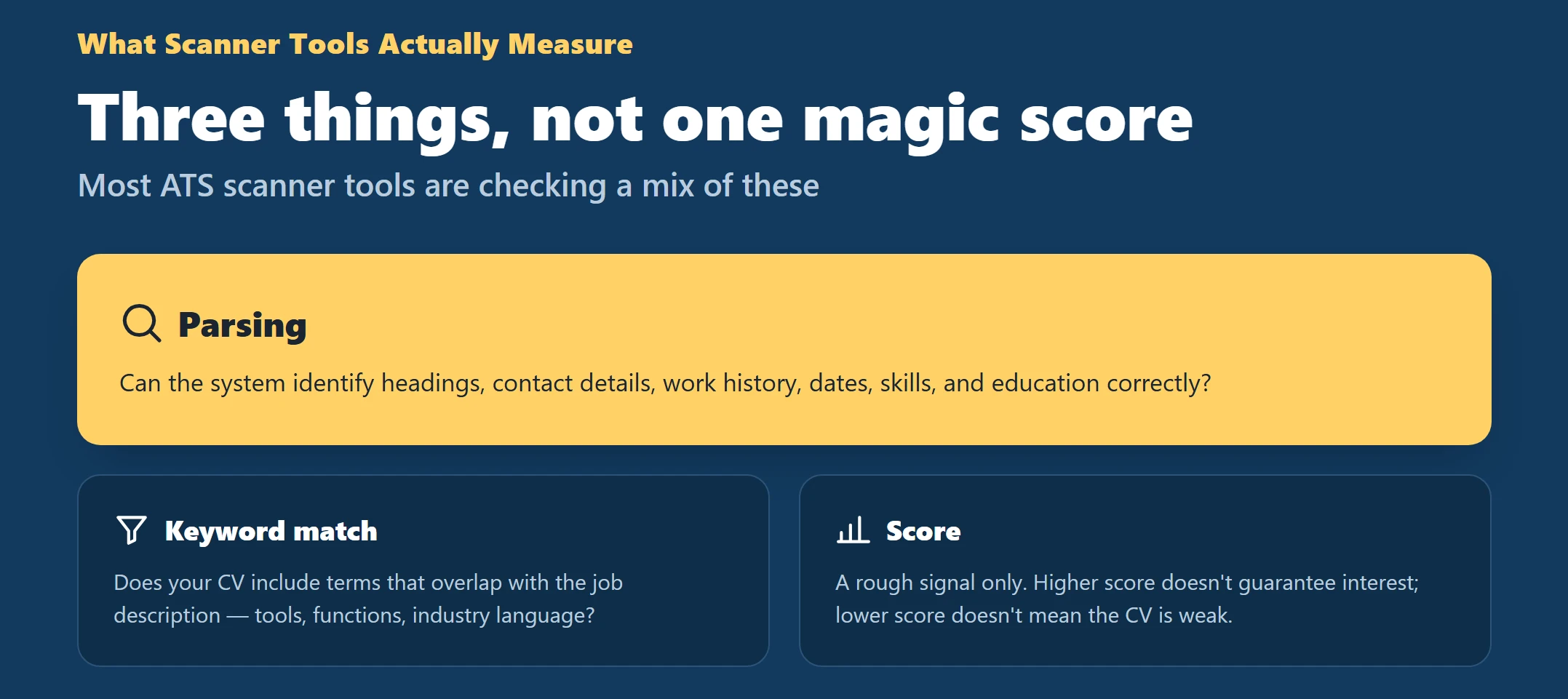
In most cases, these tools are checking a mix of three things.
Parsing
Can the system identify your headings, contact details, work history, dates, skills, and education correctly?
Keyword match
Does your CV include terms that overlap with the job description, such as tools, functions, industries, or role-specific language?
For business-facing roles, this is often less about stuffing and more about using the right wording in the right places. A practical guide to ATS keywords for business roles can help if your CV sounds too broad or generic.
Score
Some tools combine parsing and keyword checks into one percentage or score. That can be useful as a rough signal, but it is not a hiring decision. A higher score does not guarantee recruiter interest, and a lower score does not always mean the CV is weak.
Use these tools as feedback, not as authority.
Interpret parsed output without overreacting
When a scanner or job portal shows parsed output, focus on what is missing, misplaced, or noisy.
Good parsed output should clearly show:
- Name
- Phone
- Job titles
- Company names
- Dates
- Skills
- Education
If one of these is missing or wrong, treat it as a structure problem first.
If your experience appears in the wrong order, the layout may be too complex. If random symbols appear between words, formatting may be adding noise. If a field is blank, the label may be unclear.
A useful rule is this: fix what affects readability and field recognition before you fix score.
Score matters less than recruiter behavior
It is easy to chase a score from 62 to 81 and feel productive. But recruiters do not hire scores. They review evidence.
A recruiter usually wants quick answers to practical questions:
- What level are you?
- What problems have you solved?
- In what context?
- How recently?
- How relevant is this to the role?
That means your CV should prioritize clarity and proof over tool-friendly decoration. If a keyword is present but unsupported, it is weaker than a bullet that shows what you did with that skill.
Instead of asking, “How do I beat the scanner?” ask:
- Can the system read this?
- Can a recruiter understand this quickly?
- Does each important keyword connect to real work?
When you tailor the CV to the actual role, relevance usually improves far more than score-chasing. A fast method to tailor your CV to a job description can help you align content without making the document unnatural.
If you want paid help to rewrite a weak CV or optimize it for cleaner applications, our team can build a stronger, more application-ready document for you.
Scenario: a low score and three controlled improvements
Imagine you run a scan and get a low match result. Do not rewrite the whole document. Make three controlled improvements and retest.
Change 1: fix the headings
Replace creative labels with direct ones:
- Professional Experience
- Skills
- Education
- Certifications
This helps both parsing and recruiter scanning.
Change 2: align role language
If the job description emphasizes stakeholder management, forecasting, reporting, or process improvement, reflect that language where it is accurate. Do not add every term. Add the ones that match your real work.
Change 3: add proof bullets
A keyword alone is weak. A proof bullet is stronger.
For example:
- Weak: “Project management”
- Better: “Led cross-functional project planning, tracked milestones, and resolved delivery risks across regional stakeholders”
Then retest. If parsing stays clean and relevance improves, keep the changes.
This kind of controlled improvement is usually more effective than chasing a perfect score.
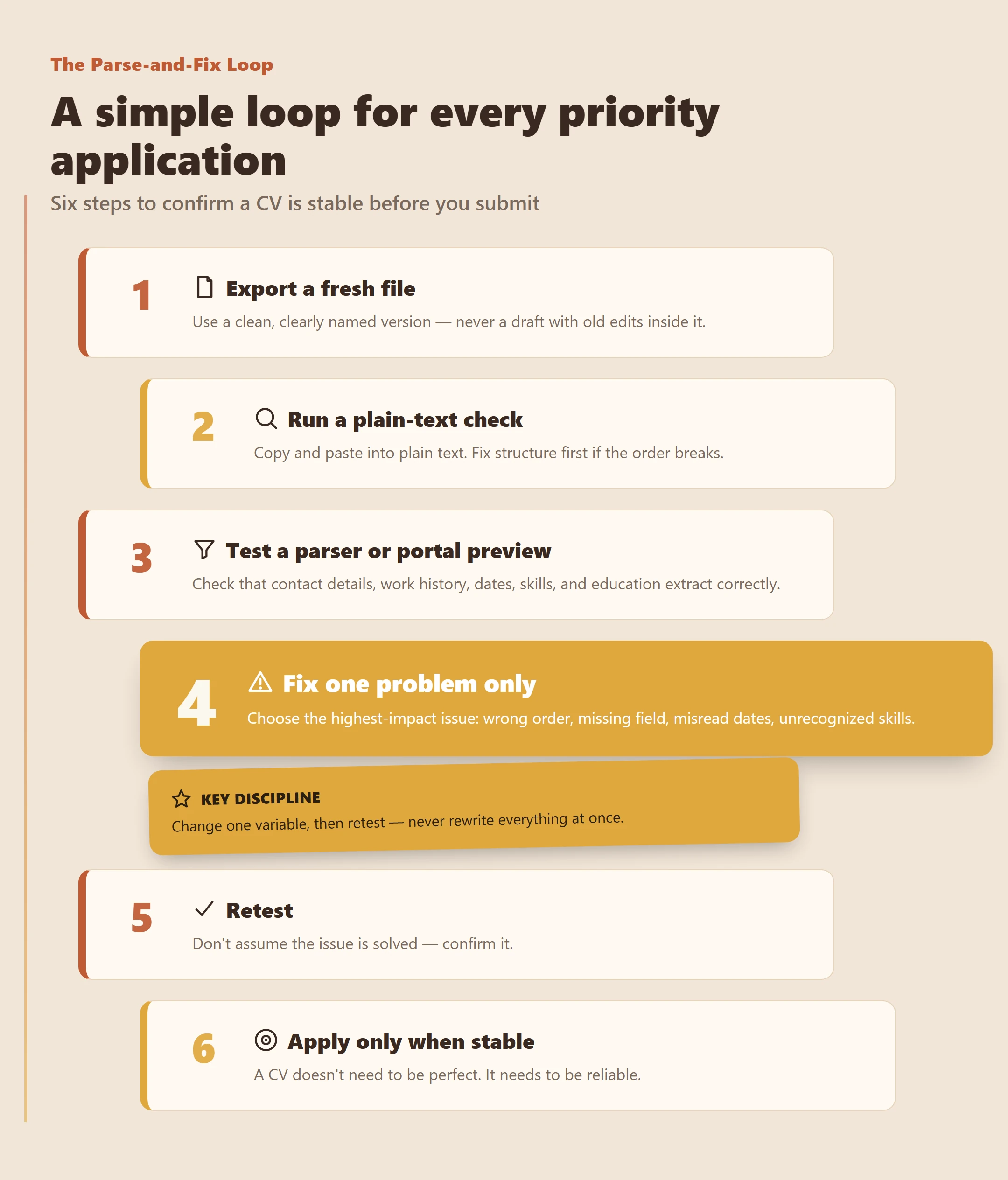
Walkthrough: a simple parse-and-fix loop
Use this quick loop whenever you prepare a CV for a priority application.
Step 1: export a fresh file
Use a clean file version with a clear name. Avoid sending a draft with old edits still inside it.
Step 2: run a plain-text check
Copy and paste into plain text. If the order breaks, fix structure before doing anything else.
Step 3: test a parser or portal preview
Look at the extracted fields. Check whether the system correctly reads:
- Contact details
- Work history
- Dates
- Skills
- Education
Step 4: fix one problem only
Choose the highest-impact issue:
- Wrong order
- Missing contact field
- Dates misread
- Skills not recognized
Step 5: retest
Do not assume the issue is solved. Confirm it.
Step 6: apply only when the document is stable
A CV does not need to be perfect. It needs to be reliable.
Final pre-upload checklist
Before you submit, run this 10-point check:
- Is the CV in a stable format that preserves text order?
- Are section headings standard and easy to parse?
- Is contact information written in plain text?
- Are dates consistent across all roles?
- Are company name and job title clearly separated?
- Are bullets standard and spaced properly?
- Does the CV reflect the target role’s actual requirements?
- Do key claims include proof in the bullets?
- Did you review the parsed or autofill preview if available?
- Did you save the final file with a clear, professional name?
This checklist catches more problems than most last-minute visual edits.
Fix sections that appear in the wrong order
If your summary, experience, and skills show up out of sequence, the layout is probably too complicated.
Common causes include:
- Columns
- Tables
- Text boxes
- Sidebars
- Floating elements
The fix is usually simple:
- Use one vertical reading flow
- Keep headings on their own line
- Avoid placing key information in separate visual blocks
- Use standard paragraph and bullet formatting
A CV can still look polished without layout tricks that break parsing.
Make sure phone and email are detected
This is a common and costly issue.
Put your contact details in plain text near the top of the document. Avoid using only icons for phone, email, or location. Some systems do not read icons well, and others split the text incorrectly.
Use standard separators such as:
- |
- –
- Line breaks
Keep each item easy to identify:
- Phone
Also, if your online presence supports your applications, your CV and profile should use consistent role language. That is where LinkedIn profile SEO can help, especially for experienced professionals who may be found through recruiter search as well as direct applications.
Use a consistent date format
Mixed date styles often confuse systems.
Choose one format and use it everywhere. Safe options include:
- MMM YYYY
- MM/YYYY
Examples:
- Jan 2021 – Mar 2024
- 01/2021 – 03/2024
Avoid mixing styles such as:
- January 2021 in one role
- 1/21 in another
- 2021–Present in a third
Consistency improves both parsing and readability.
Stop bullets from collapsing into one paragraph
If your bullet points collapse into a text block, your formatting may be too customized.
To reduce this risk:
- Use standard bullet symbols
- Avoid decorative icons
- Keep spacing consistent
- Do not paste bullets from design software
- Check the result after exporting
This matters because collapsed bullets reduce scan speed and weaken the proof in your experience section.
Make company and title fields easy to recognize
A parser may detect the text but still fail to understand what each line means.
To make each role easier to read:
- Put the job title on one line
- Put the company name on the next line, or clearly separate it
- Keep dates in a consistent position
- Treat each role as its own block
Avoid heavy inline styling that makes labels less obvious. One role should look like one role, not like a graphic element.
Help skills get recognized properly
If your skills are not being picked up, the issue is often labeling rather than content.
Use category labels such as:
- Core Skills
- Technical Skills
- Tools
- Languages
Then list skills using common naming variants where appropriate. For example, if a role uses different wording for a similar tool or task, include the variant that is natural and accurate.
If you want more context on how these systems behave in local hiring environments, this overview of ATS used in Saudi Arabia can help you make safer formatting choices.
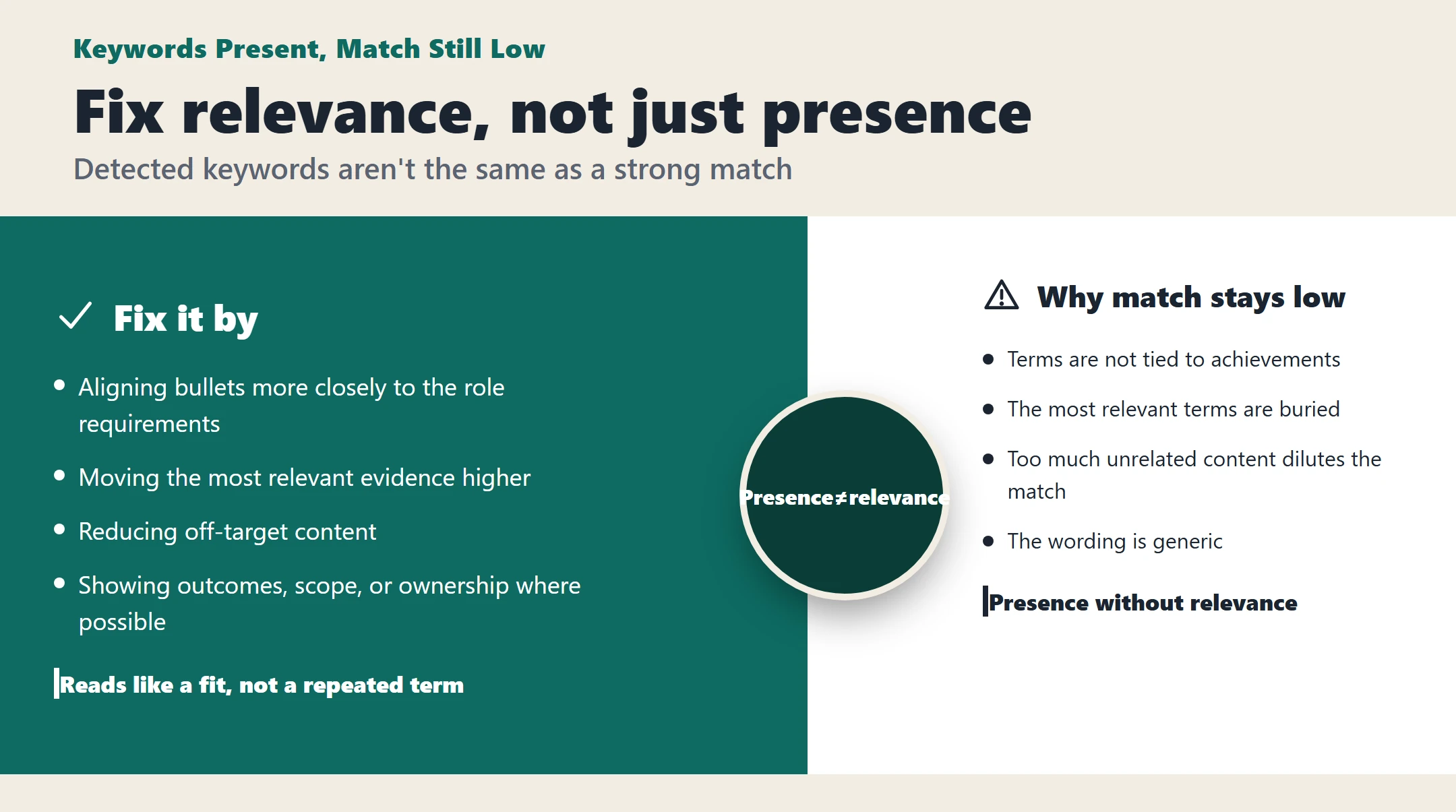
If keywords are detected but match stays low
This usually means the problem is not keyword presence. It is keyword relevance.
A CV may contain the right terms but still feel weak because:
- The terms are not tied to achievements
- The most relevant terms are buried
- Too much unrelated content dilutes the match
- The wording is generic
Fix this by:
- Aligning bullets more closely to the role requirements
- Moving the most relevant evidence higher
- Reducing off-target content
- Showing outcomes, scope, or ownership where possible
Keyword match improves when the document reads like a fit, not when it simply repeats terms.
Check portal auto-fill before submitting
Always review the parsed preview before you submit.
If the portal places your degree under skills, or moves a company name into the title field, your labels or order may be unclear. Adjust the source CV and test again rather than correcting only the portal fields and forgetting the underlying issue.
A good source document saves time across multiple applications.
Remove duplicate entries in parsed view
Duplicate role entries usually come from repeated headings, copied blocks, or inconsistent structure.
Check for:
- The same role heading appearing twice
- Repeated company names in multiple styles
- Summary text that looks like experience text
- Leftover content from old edits
Keep each role block unique and clean. Reducing repetition helps both the parser and the reader.
Prepare for career sites that require manual entry
Some career sites still require manual entry even after upload. In that case, your CV should still support fast copying.
Make sure each role is easy to transfer:
- Title
- Company
- Location if used
- Dates
- Key bullets
If these are grouped cleanly, manual entry becomes much faster and less error-prone.
Final checklist before you apply
Use this compact final check before any important submission:
- One-column, single reading flow
- Standard section headings
- Contact details in plain text
- Consistent date format
- Clear company and title separation
- Standard bullets only
- Relevant keywords aligned to the role
- Proof-based bullets, not keyword lists
- Parsed preview checked
- Final file exported and reviewed once more
Testing your CV before applying is not about gaming software. It is about removing avoidable friction so your experience can be judged fairly.
Get a professionally rewritten, optimized CV for experienced professionals who want a clearer, stronger document before applying—choose your service here